Meeting Prep, Daily Briefing, and a New iPhone Inbox
Find meeting prep and your daily briefing in For You. Micro for iPhone gets a rebuilt Inbox, AI inside your email threads, and scheduled sending.
Brett GoldsteinWeek ending September 4, 2026
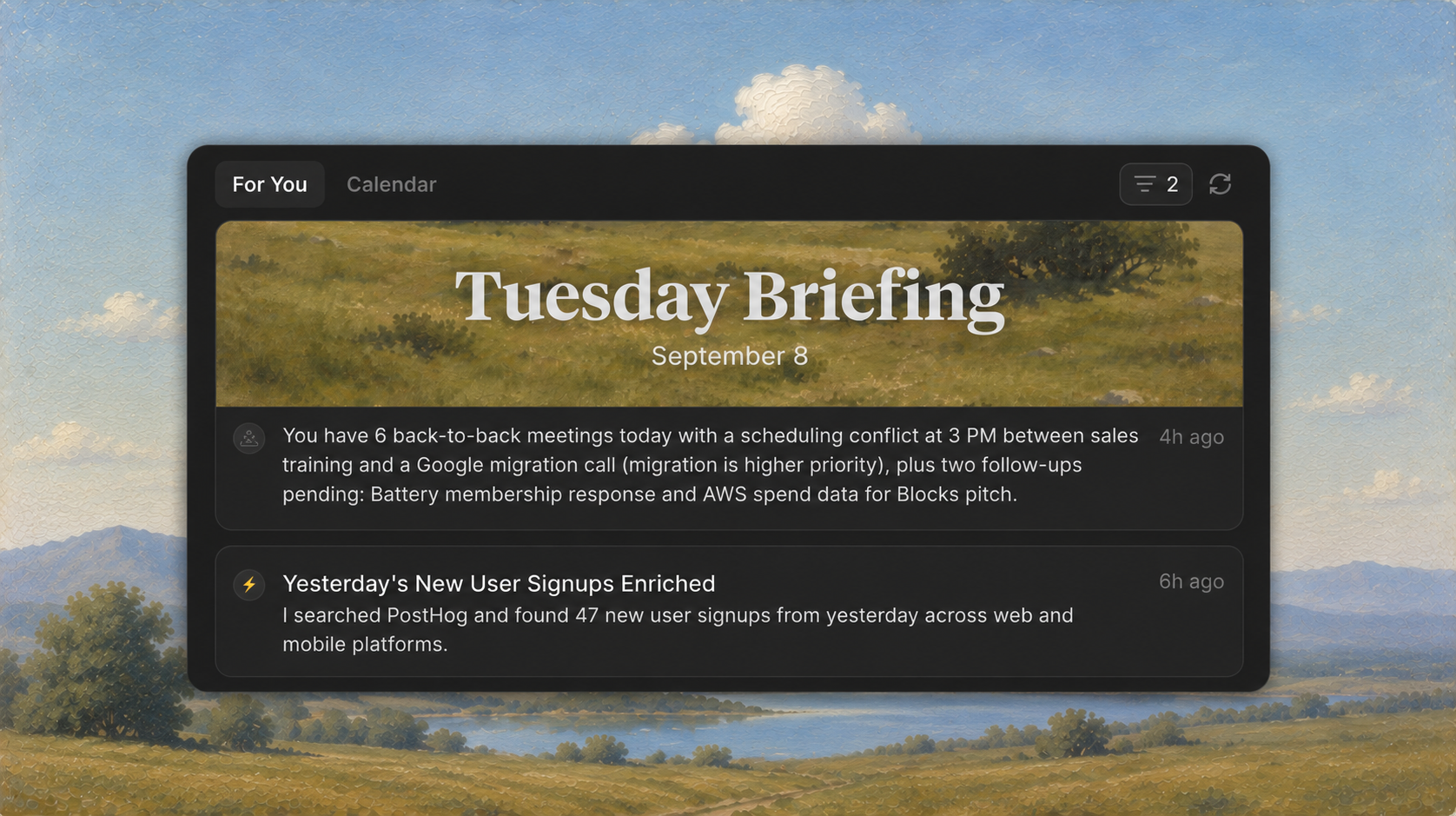
Your daily briefing and meeting prep give you a place to catch up in For You. Micro for iPhone also has a rebuilt Inbox.
Meeting Prep And Daily Briefing In For You
Daily Briefing brings your schedule, highlights, and what needs your attention into one recap in For You. Open it at the start of the day to see what’s coming up and what needs a follow-up.
Choose when it runs, have it emailed to you, and edit its instructions in Settings → Agent → Daily Briefing.
Finished prep for upcoming meetings now appears in your For You feed. Each card brings together the meeting details, attendees, and a short preview. Open it to read the full prep in the meeting's Prep tab.
The brief uses the context available in Micro to bring together who you're meeting, previous conversations, open threads, and talking points. You can also open an upcoming meeting and generate prep when you need it.
Meeting Prep no longer needs to be enabled in Beta features. Automatic preparation still follows your preferences in Settings → Meeting Recording → Meeting Prep.
A New Inbox On iPhone
Micro for iPhone 2.2 brings a new email reader built around the conversation. Reply, reply all, forward, or delete an individual message without losing your place in the thread.
The composer bar at the bottom of an email also gives you a place to ask Micro about the conversation or have it help handle it. Get a summary of a long thread without leaving the reader, or start from a suggested reply drawn from the conversation.
When you're ready to write, add attachments, saved snippets, and your signature. Send now, schedule it for later, or use Undo to take a send back.
The new Filters sheet narrows your Inbox by label, sender, recipient, date, attachments, unread, or starred. Search puts your current mailbox first and removes duplicate results.
More Improvements
- Micro for iPhone opens faster, and Home restores its previous content while fresh updates load
- iPhone email rendering is cleaner in dark mode, and onboarding has fewer steps
- Choose the workspace Micro uses for iMessage replies in Settings → Agent
- Integration cards show more recognizable product icons, with better handling of older integration names
Bug Fixes
- Automations follows the workspace you've selected
- For You waits for meeting prep to load before showing an empty state
- iPhone drafts are preserved more reliably when you close the composer
- iPhone email threads are less likely to appear briefly blank when you return to the app
- Read and unread changes update more reliably on iPhone
- An unreachable server at iPhone launch no longer signs you out unexpectedly